Scan barcodes using webcam
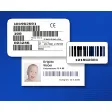
bcWebCam is a simple utility tool that enables you to scan barcodes and even QR codes through your desktop's webcam. You only need to place it in front of your Windows system's camera, take a picture of it and the rest of the process like reading will be handled by the program itself.
Top Recommended Alternative

The scanned barcode will then be copied into your browser or other applications. You will be able to use this handy recognition software in online shopping applications such as Amazon Marketplace or eBay. It is available free of charge, but professional editions are offered as well.
Webcam as the vital scanning weapon
If you have a webcam for your PC or laptop, then you can turn your computer into a barcode scanner. This utility is especially useful if you have a bunch of items that you want to catalog. One thing to note is that you will need to have a pretty decent webcam that can focus on items up close to scan.
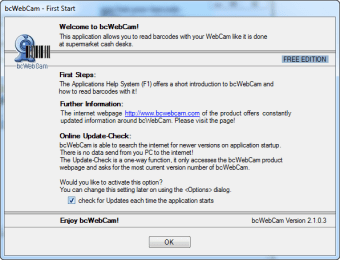
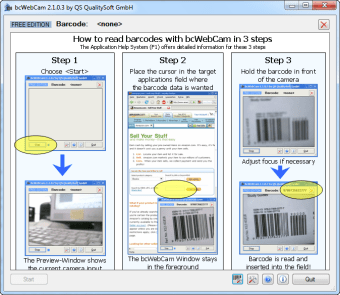
Once you have it installed, launch it and you will be greeted with a brief 3-step tutorial along with suggestive screenshots that will guide you to the full operation of this tool. bcWebCam should be able to detect your webcam right away. If it doesn't show up, you will need to double-check if the drivers are installed properly.
Supports various barcode types
bcWebCam provides support to a wide range of barcode types. For instance, its free edition allows you to read the EAN barcodes as well as the QR codes. While PRO1 edition includes linear barcode types like Code 128 ABC, Code 39, Code2/5, Code 128, Code 93, Code 11, PostNet, and GS1 DataBar. The PRO2 edition can additionally process the 2D Codes Data Matrix, PDF417, and Aztec.
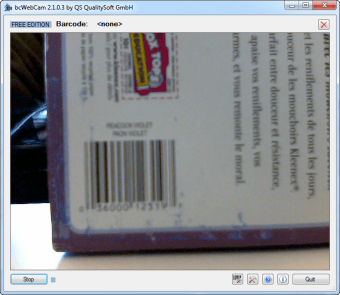
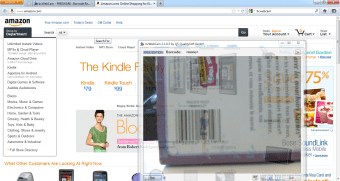
The main interface of this software solution is actually dominated by a live video window. It gives more than enough space for any barcode to fit the screen and be read effortlessly. However, it can't really do more aside from extracting barcode numbers into a text field while sitting in the background to scan. If you want to scan a product into Amazon.com, for example, this will come in handy by simply allowing it to run in the background while your cursor selects the search bar.
Imperfect, but sufficient
Overall, bcWebCam is a valuable software that efficiently scans barcodes and QR codes. However, at some point, it feels like a workaround to get barcode data into a text field as it offers no option to search popular sites with the barcode information instead it forces you to navigate them yourself. Nevertheless, this is still a vital program solution that will help you greatly in extracting barcodes and meet your needs as well.